
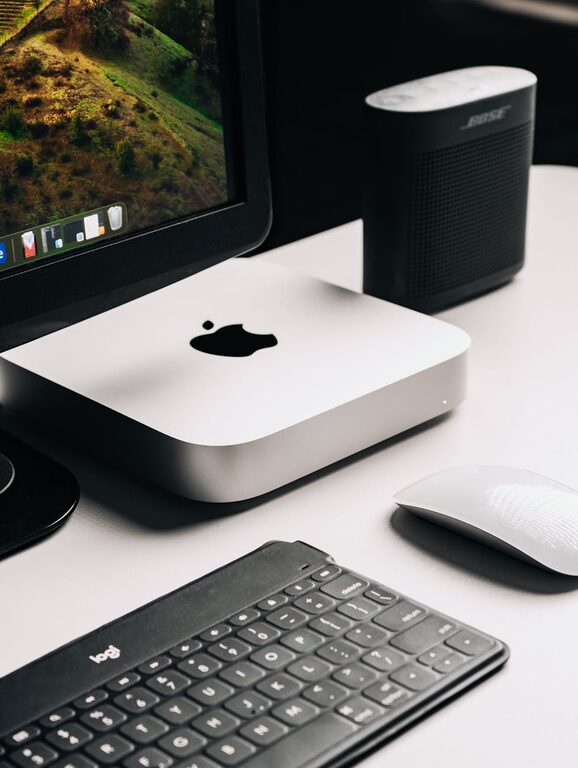
In today’s connected world, our digital devices often become cluttered with files, apps, emails, and notifications. This digital mess can cause stress, reduce productivity, and make it harder to find what you need. The good news is that decluttering your digital life is simpler than you might think—and the benefits go beyond just a tidier device. In this post, we’ll explore practical ways to organize your digital space so you can enjoy a cleaner, more focused online experience.
Why Declutter Your Digital Life?
Digital clutter affects everyone, whether you use one device or many. A cluttered inbox, overflowing photo library, or disorganized files can lead to:
– Increased stress and distraction
– Difficulty finding important information
– Slower device performance
– Loss of productivity and creativity
Taking steps to tidy up your digital life can help you feel more in control and improve your workflow.
Step 1: Organize Your Files and Folders
Create a Simple Folder Structure
Start by reviewing your documents, photos, videos, and downloads. Create folders by category, date, or project to keep everything organized. Avoid overly complicated hierarchies that might confuse you later.
Delete Unnecessary Files
Look for old, duplicate, or irrelevant files and delete them. Consider using tools that identify duplicates or large files taking up storage space.
Use Cloud Storage Wisely
Backing up important files to cloud services like Google Drive, Dropbox, or OneDrive ensures your data is safe and accessible from anywhere. Delete local copies of files you rarely use to free up space.
Step 2: Manage Your Email Efficiently
Unsubscribe and Filter
Mass unsubscribing from newsletters and promotional emails you no longer read can dramatically reduce inbox clutter. Use filters or labels to automatically sort incoming emails.
Archive or Delete Old Messages
Go through old emails and delete or archive messages that don’t require action. Most email clients have archive features to remove emails from your inbox without deleting them.
Set Regular Email Times
Avoid checking emails constantly by scheduling specific times to read and respond to messages. This habit can improve focus and reduce email-related stress.
Step 3: Streamline Your Apps and Software
Review Installed Programs
Go through your devices and uninstall apps or software you no longer need. This improves device speed and declutters your home screen or app drawer.
Update Regularly
Ensure your apps and software are up to date to maintain security and performance.
Organize Apps into Folders
Group similar apps into folders or categories for quicker access and a cleaner appearance.
Step 4: Declutter Your Social Media
Audit Your Accounts
Unfollow or unfriend accounts that no longer interest or add value to your experience.
Limit Notifications
Turn off unnecessary notifications to minimize distractions.
Clean Up Old Posts
Consider deleting or hiding outdated or irrelevant posts to maintain a positive digital footprint.
Step 5: Manage Your Digital Passwords
Use a Password Manager
Instead of writing down passwords or using the same one everywhere, try a password manager to generate, store, and autofill secure passwords.
Review and Update Passwords Regularly
Schedule time to update your passwords for important accounts to improve security.
Step 6: Back Up Your Data Regularly
Automate Backups
Set up automatic backups for your computer, smartphone, and important cloud accounts to prevent data loss.
Keep Multiple Copies
Store backups in different locations—external hard drives, cloud, or both—to ensure redundancy.
Bonus Tips for Sustaining Your Digital Declutter
– Schedule periodic “digital declutter” sessions monthly or quarterly.
– Limit app and email sign-ups to essentials only.
– Use productivity tools like task managers or calendars to keep digital tasks in order.
Final Thoughts
Decluttering your digital life isn’t a one-time project—it’s a habit that pays off in a calmer, more organized, and efficient use of technology. By following these steps, you’ll reduce stress, improve productivity, and create a digital environment that supports your priorities and goals. Start small today and enjoy the benefits of a tidy digital world!
Have you tried any digital decluttering tips? Share your experience in the comments below!